Free instant play
Play free with no download and no account required.
About Minecrafts Fighting Combat
Play Minecrafts Fighting Combat on ShadowBot.
Minecrafts Fighting Combat is a fighting browser game you can play directly on ShadowBot without installing a separate app. It is embedded from the official GamePix catalog. Uses a landscape layout with more room on tablets, laptops, and desktop screens.
Minecrafts Fighting Combat belongs to the fighting category, which helps players discover similar games faster on ShadowBot.
The all layout makes it easier to understand how this game is designed to be played in the browser.
Because the game is embedded directly on ShadowBot, players can start immediately without leaving the site or creating an account.
Category overview: Browse fighting browser games on ShadowBot.
How to play Minecrafts Fighting Combat
- 1Start Minecrafts Fighting Combat in the player above and wait for the game menu to finish loading.
- 2Use the instructions shown inside the game to learn its keyboard, mouse, or touch controls.
- 3Play a short first round, then restart and apply the tips below to improve your score or progress.
Gameplay tips
- Use the first attempt to learn the movement rhythm rather than chasing a record.
- Watch the space ahead of your character so hazards do not become last-second surprises.
Controls are provided by the game publisher and can vary by device. If something does not work, use the report button and include your browser and device.
Players also try
More fighting picks and nearby matches from the ShadowBot library.
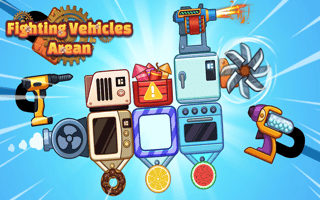
Fighting Vehicles Arena
Unleash your creativity and strategic prowess in Fighting Vehicles Arena, where vehicle customization meets intense 2D battles. Design your ultimate combat machine with diverse parts and weaponry, and engage in tactical duels that test your innovation. Victory hinges on your design skills and strategic choices in this thrilling arena.

Kung Fu Gym Fighting
Step into the breathtaking world of Kung Fu GYM Fighting, where swift ninja strikes and boxing precision meld seamlessly. Master the art of martial arts combat as you navigate epic battles, craft strategic moves, and engage with diverse adversaries. Unleash your inner warrior in this beautifully rendered kung fu odyssey.
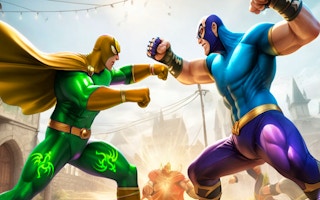
Superhero Fighting Game
Enter the intense realm of superhero battles, where every move counts. Master kung fu, karate, and boxing to become the ultimate martial arts legend. Engage in breathtaking, epic fights across vibrant arenas, honing your skills with each clash. Will you rise as the ultimate champion? Let the combat begin!
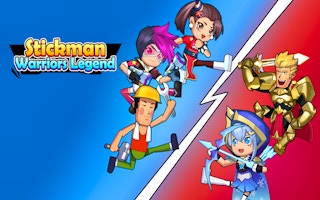
Stickman Warriors
Unleash your inner stickman hero in Stickman Warriors, a thrilling fighting RPG. Ascend the ranks by mastering combat against powerful Saints. Maximize your strategy with daily rewards and diverse stickman attributes. Battle your way to the ultimate S rank and become the supreme stickman warrior!
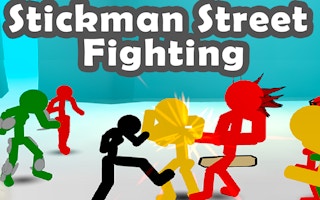
Stickman Street Fighting 3D
Get ready to dominate the streets as a fearless stickman in Stickman Street Fighting 3D! This intense brawler challenges you to crush foes with strategic blows and quick reflexes. Break objects for unexpected power-ups, wield weapons for added punch, and prove you're the toughest stickman around.
Stickman Fighting
Engage in fierce 2.5D battles where mastery of combos and timing is key. Choose your stickman champion, overcome diverse rivals, and climb the ranks in dynamic arenas. With various difficulty levels and modes to explore, unleash your fighting prowess and strive to be the ultimate stickman warrior.
Minecrafts Fighting Combat
Play Minecrafts Fighting Combat on ShadowBot.
- Orientation
- all
- Frame size
- 800 × 600
- Source
- GamePix
Explore similar styles
This game runs directly on ShadowBot using the official GamePix feed.